Firmware Management
IOTMER lets you upload firmware binaries and distribute them to your device fleet via Rollouts.
Upload firmware
- Go to Devices → Firmware → Upload
- Select your firmware binary file
- Enter a version string (e.g.
v2.3.1) and optional release notes - Click Upload
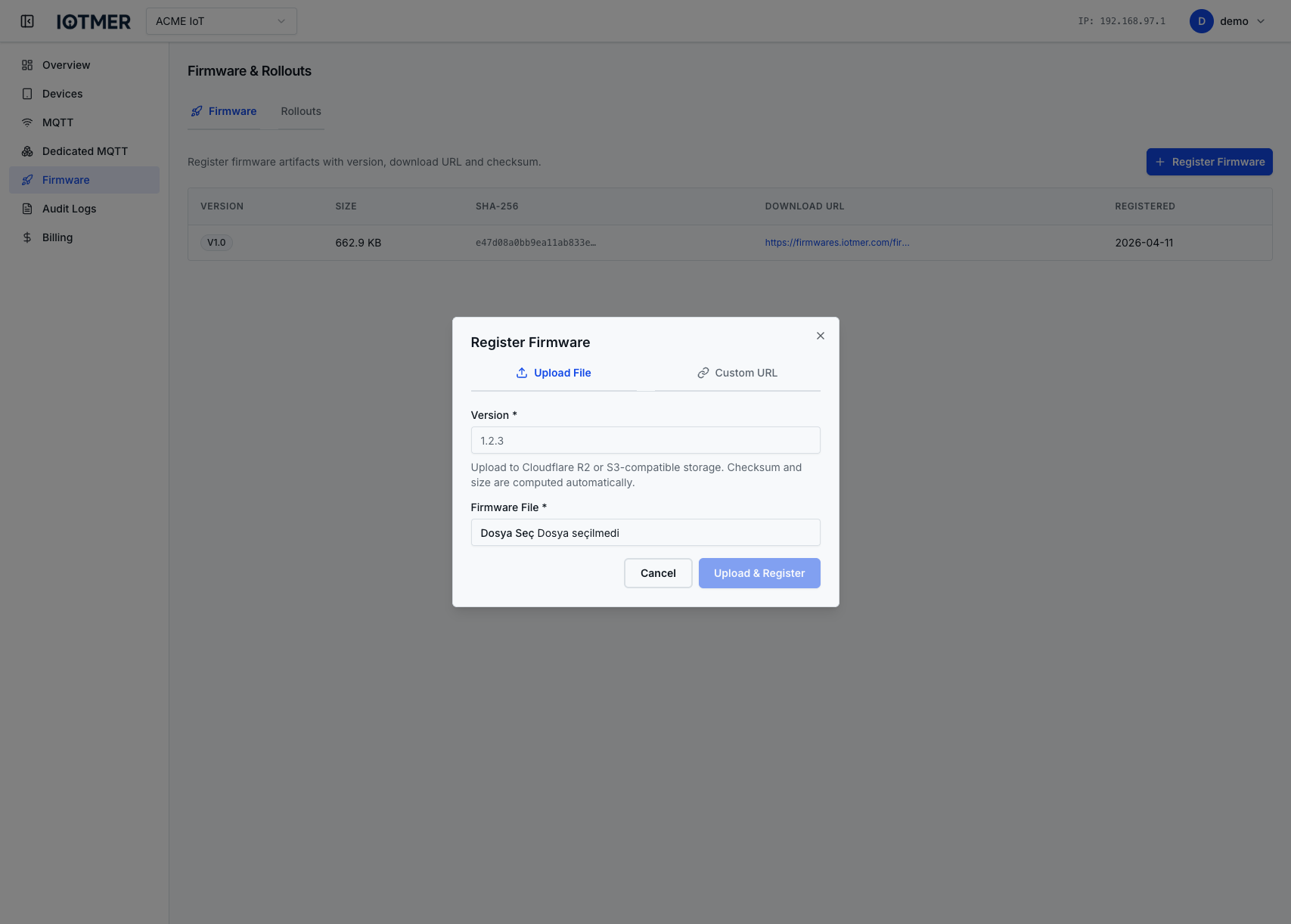
Or via API:
POST /workspaces/{id}/firmware/upload
Content-Type: multipart/form-data

file=<binary>
version=v2.3.1
notes=Fixed sensor calibration drift
List firmware versions
GET /workspaces/{id}/firmware
Returns all uploaded firmware versions with their IDs, versions, upload timestamps, and file sizes.
Delete a firmware version
DELETE /workspaces/{id}/firmware/{firmware_id}
caution
You cannot delete a firmware version that is currently active in a running rollout.
Next: create a rollout
Once you have uploaded a firmware version, create a rollout to distribute it to your fleet.